
What a Proper Small Office Network Actually Looks Like
and Why It Matters When You Move Into a New Space
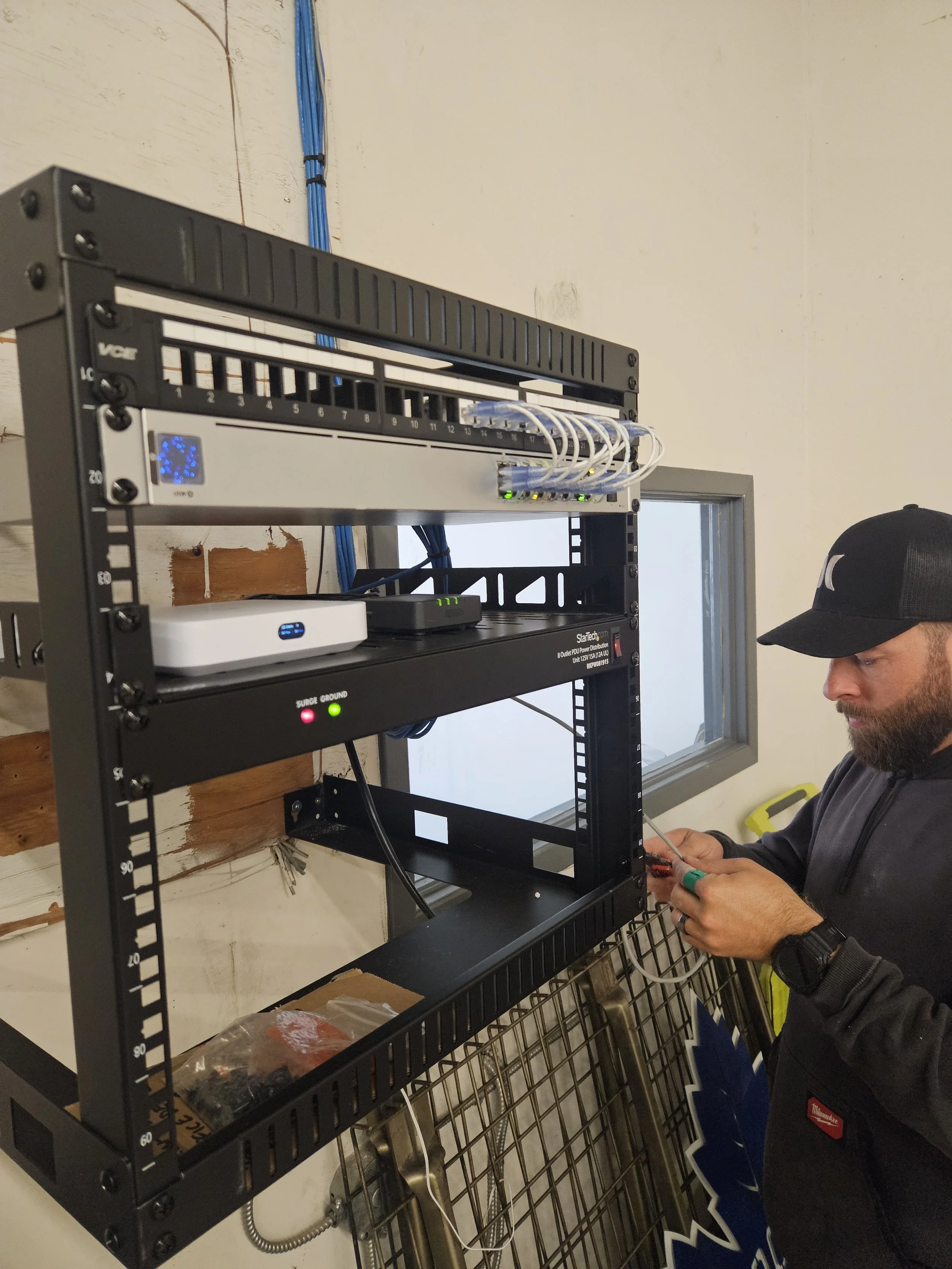
Kyle puts the finishing touches on the wall-mounted network rack
Moving into a new office space is exciting. New layout, more room, a fresh start. But here's a conversation we have with business owners regularly: the previous tenant left behind a network that technically works — but wasn't built for your operation, wasn't run to the right locations, and is one problem away from taking your whole team offline. That was exactly the situation for one of our returning clients in South London, Ontario. They were expanding into a larger space, and they knew from experience that doing the network right from day one was worth every dollar.
The Problem With Inherited Office Infrastructure
When you move into an existing office space, you're inheriting someone else's decisions. Data drops in the wrong spots. Cables that aren't labelled. A rat's nest behind the TV cabinet masquerading as a network setup. Consumer-grade equipment that was never meant for a business environment. It might seem fine — until your WiFi drops during a client call, or you realize there's no ethernet port anywhere near where your team actually sits. Our client had been through this before. They'd worked with us on a previous project and knew the difference between a network that's just plugged in and one that's actually built. When it came time to expand, they called us before they called anyone else.
What We Built
We pulled all the existing cabling and started fresh with Cat6 throughout the office. Here's what a proper small office network installation looks like when it's done right:
12 x CAT6 Data Drops — every workstation, meeting room, and shared area has a wired ethernet connection in exactly the right location. No more relying solely on WiFi for devices that should be hardwired, and no more extension cables snaking across the floor.
Keystone Patch Panel — all 12 drops terminate to a clean, labelled keystone patch panel inside the rack. Every port is documented. When something needs to change, it takes seconds — not an hour of tracing mystery cables.
Mounted Network Rack — all the core network equipment lives in a tidy, organized wall-mounted rack. UniFi Cloud Gateway Max handles routing and network security. A 16-port
Unifi 16 Port PoE Switch — powers and connects everything. Clean, accessible, and professional.
UniFi U7 Pro XG Access Points — two ceiling-mounted access points deliver enterprise-grade WiFi throughout the entire office. The U7 Pro XG is one of the most capable access points available for small to mid-size commercial spaces — fast, reliable, and centrally managed through the UniFi dashboard alongside the rest of the network.
IQ4 Alarm Panel — security rounded out the install. The IQ4 is a modern, app-connected alarm panel that gives the client remote arming and disarming, instant alerts, and the ability to manage their security from anywhere.
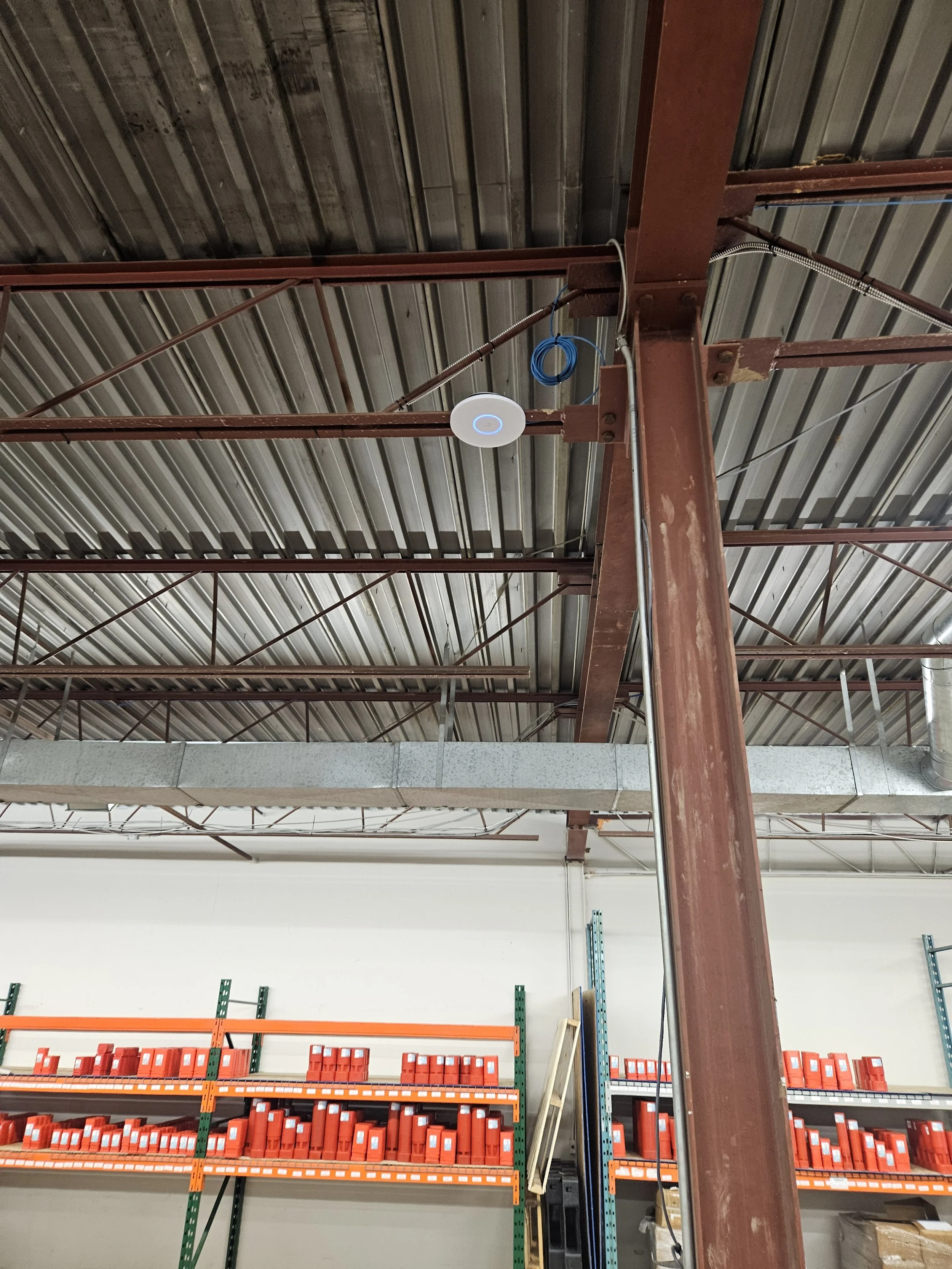
Unifi U7 Pro XG with a generous service loop of cable installed in the back warehouse provides blazing speeds and performance
Why This Matters for Your Business
A well-built network isn't something you notice every day. That's the point. You sit down, connect, and work. No dropped calls. No buffering. No one rebooting the router and hoping for the best. What you do notice is when it's not built properly. Slow speeds, dead zones, mystery outages, cables that don't reach where you need them. These aren't minor inconveniences — they're productivity losses that add up every single day.
Our South London client had 3 technicians on site for 8 hours. The total investment was approximately $5,000. For a business operating out of that space for the next 3, 5, or 10 years, that's a foundation that pays for itself quickly.
Moving Into a New Space in London, Ontario?
Don't inherit someone else's network problems. Whether you're a small team moving into your first office or an established business expanding into a larger space, we'll assess what's there, tell you honestly what needs replacing, and build you a network that's clean, reliable, and ready to grow with you.
Call us at (226) 448-6319 or email info@londontechsolutions.ca
London Tech Solutions — Protecting & Connecting London Since 2010.
Serving London, St. Thomas, Woodstock, Sarnia, and surrounding
areas across Southwestern Ontario.